The Room Is Part of the Editor
This time I found the good part by chasing the wrong part.
Lightener Studio builds on Lightener and lets one Home Assistant light group drive several real lights through separate brightness curves. You draw how each lamp should respond as the group gets brighter or dimmer, then save those curves back into the integration.
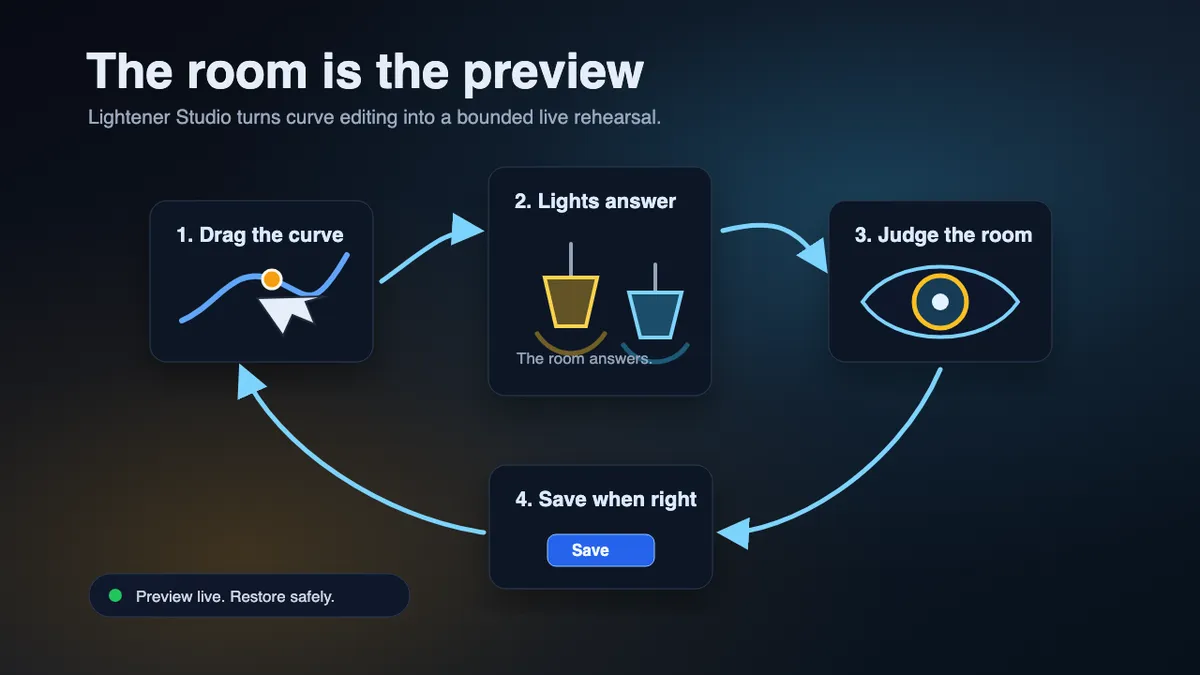
The room had to answer
The card had a "Preview all lights" button. The scrubber worked. Move it, and the room walked through the brightness curves. But editing a curve point felt odd. You could grab the point for one lamp, change its value, and see the line move. The lamp itself sat there waiting for the scrubber; I separated those activities artificially.
That split made the whole act feel like an appointment at a dentist’s office instead of the little Vegas live show I wanted it to be.
Then I built a mockup to get to the core of this feeling.
I walked in thinking I was testing whether a selected light needed its own preview. After a few minutes, that question felt too narrow. The good feeling came from a plainer interaction: drag a point and the matching light moves with you in real time.
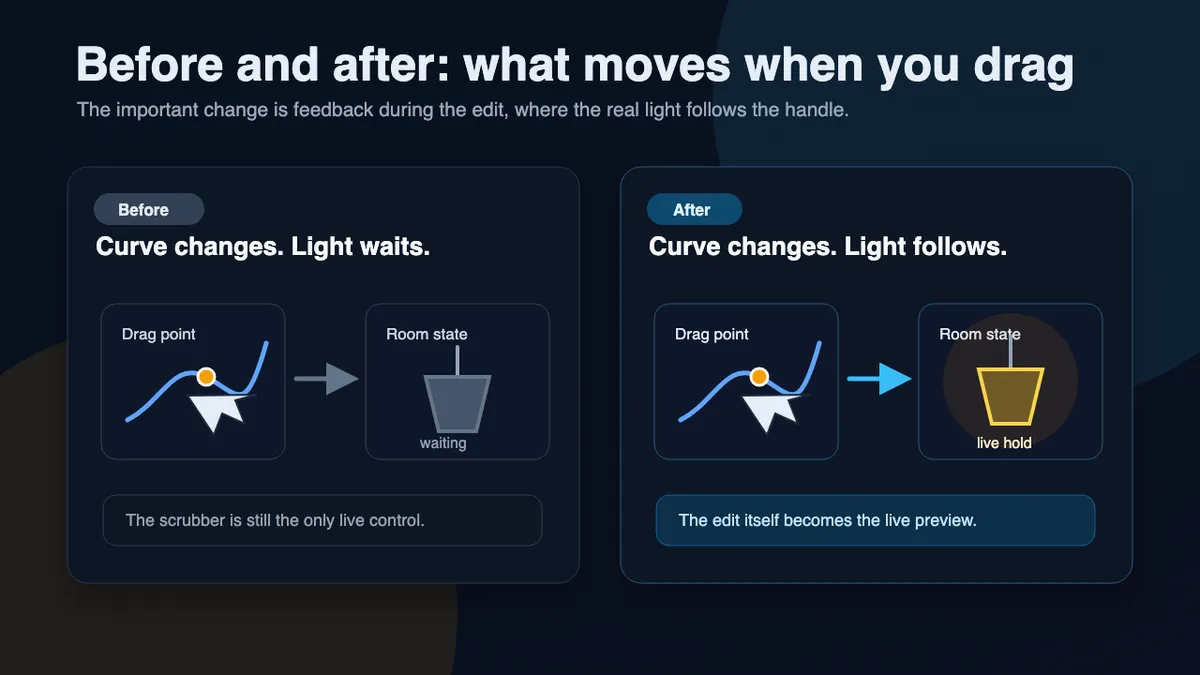
That is closer to what Lightener Studio turned into. You are not trying to produce a tidy curve for its own sake. You are trying to make the room feel right when one control drives several lights.
The graph gives you the steering wheel, but the decision still happens in the room. The desk lamp either stops glaring or it does not. The ceiling either gives enough working light or it does not. The corner lamp either keeps the room alive at low levels or it drops out.
I don't find those answers by staring at the screen. I find them by looking up into the room, and I suspect many other people do, too.
The stronger fix is feedback during editing. When you change a point, you are already making the lighting decision. The light should respond at that moment as confirmation.
A safe place to overdo it
Holding the result matters too. If you drag a lamp to a level that feels good, snapping it back makes the room harder to judge. Let it stay while you adjust the next point or compare it with another light. Rooms are tuned in relation, not one bulb in isolation.
One boundary I still keep up: Lightener Studio should not become a live lighting console by accident. Editing your curves should not leave hidden manual overrides behind and wait for some later automation event to clean them up. I want it to be that white piece of paper where you doodle until it feels right, and when it doesn't, scrap it and start anew safely.
The useful shape is more deliberate: enter preview, shape the room, restore if the experiment was wrong, save if it was right. The live state belongs to the editing session.
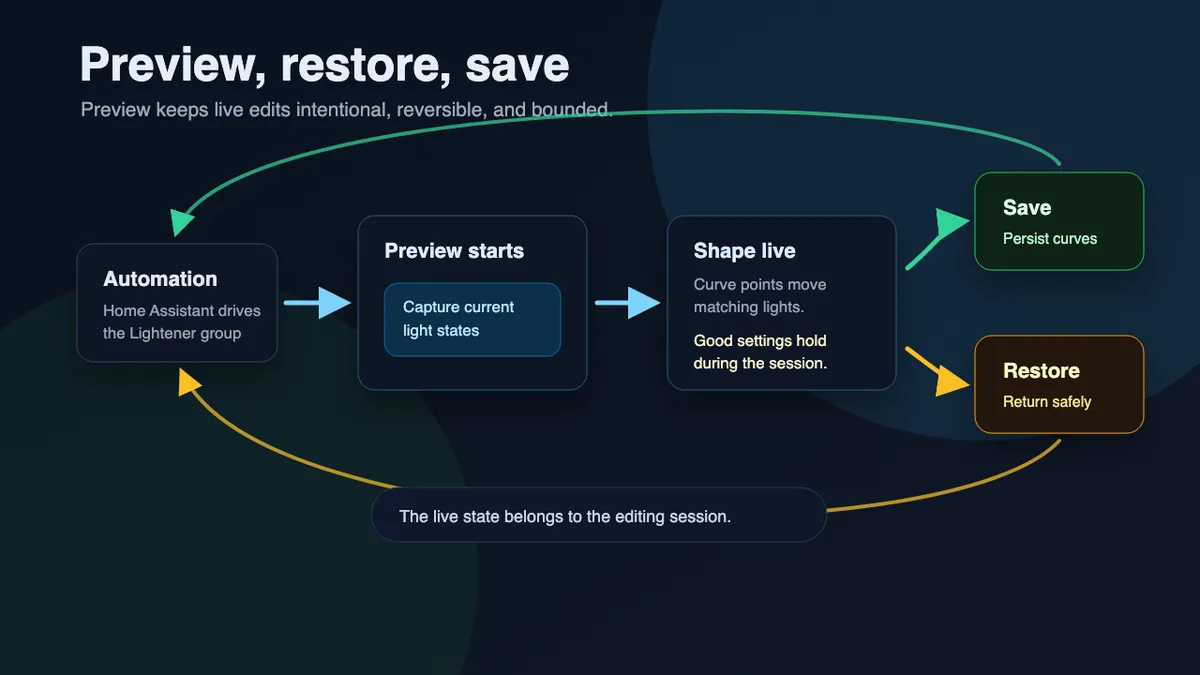
Restore is what makes the session feel safe. If restore feels shaky, preview becomes risky. You make small moves, avoid the edges, and stop experimenting.
When restore holds up, you can push the room too far and bring it back. You can try a floor that is too low, a ceiling ramp that is too fast, or an accent lamp that stays warmer than expected. The cost of being wrong stays low.
That was the accidental discovery. The card is not the whole preview. The room is part of the editor.
The card gives handles, precision, undo, and save. The room tells you whether the curve is any good.